

Description
Hide your login page. Starve the bots.
Brute-force bots hammer wp-login.php on every WordPress site — thousands of password guesses a day, around the clock. They can only attack a door they can find. The simplest fix is to hide the login page: rename wp-login.php to a custom login URL that only you and your team know.
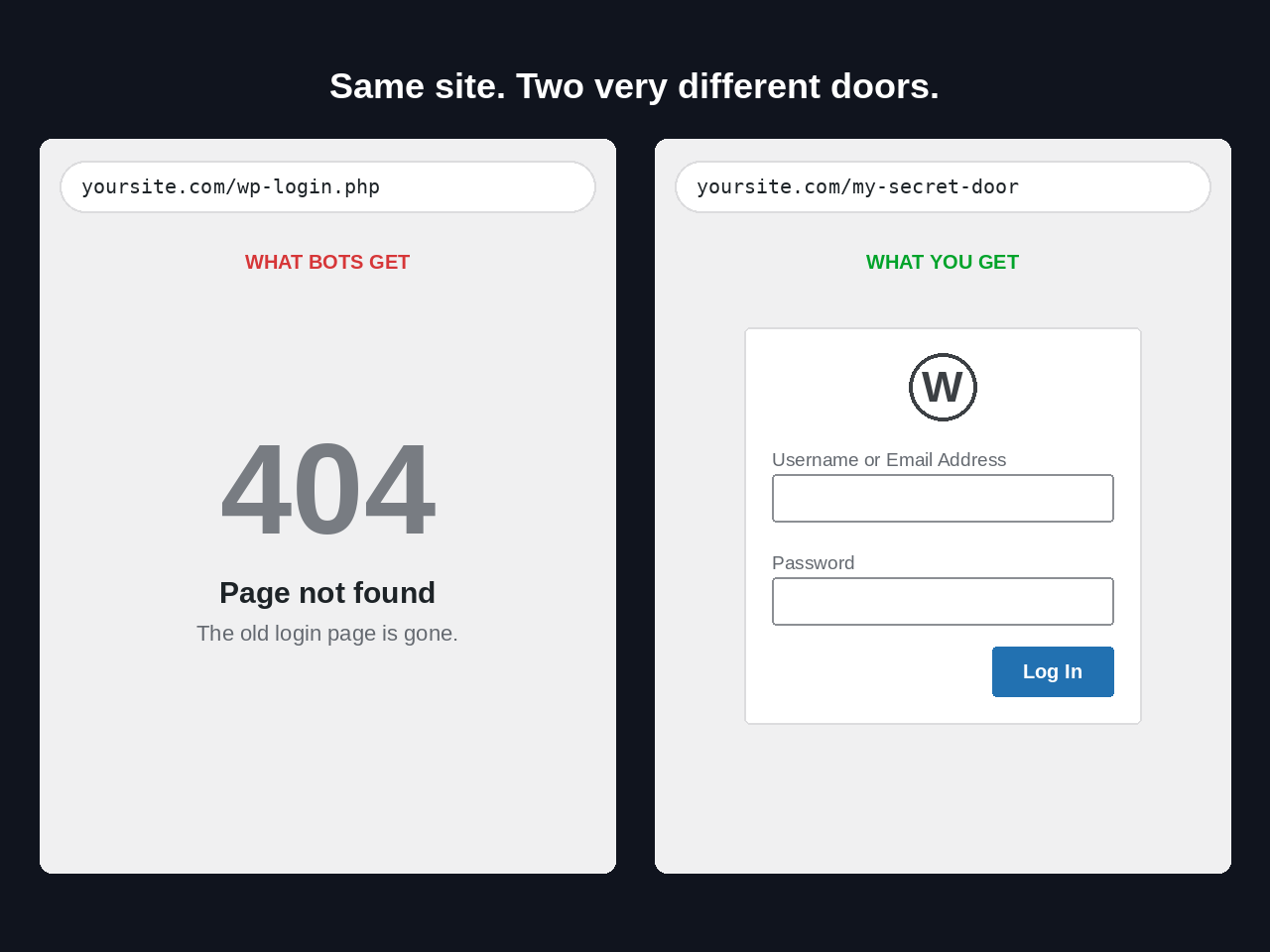
VanishLogin moves that door. Your login form lives at a custom login URL only you know (like yoursite.com/my-secret-door), while the old wp-login.php stops answering anyone who is logged out. Your access logs go quiet, your server stops wasting resources on bot traffic, and password guessing has nowhere to land.
What it does
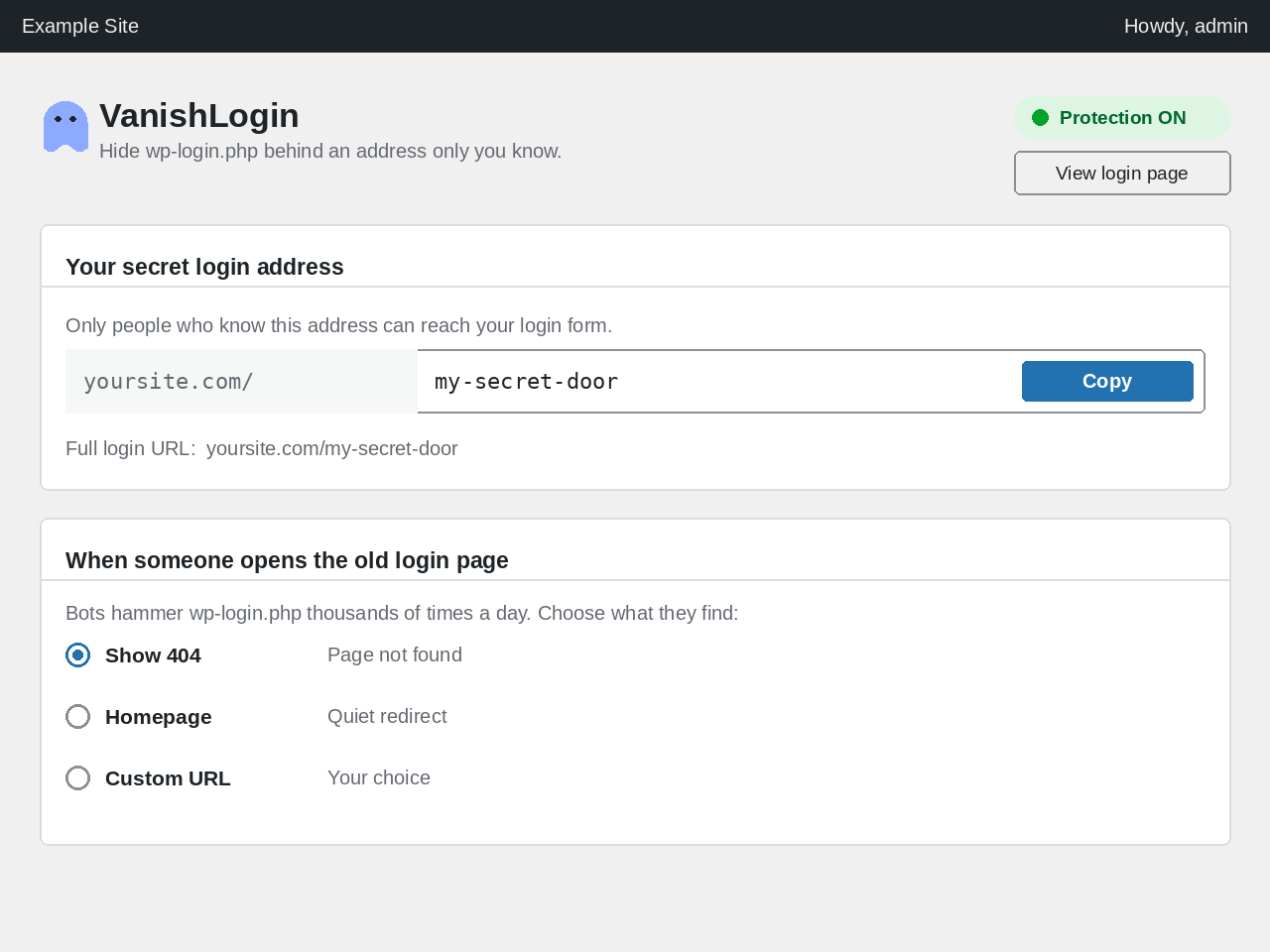
- Hide your login page — change wp-login.php to any secret slug, with live validation, a live URL preview, and one-click copy
- Choose what intruders get — logged-out visitors hitting wp-login.php or wp-admin receive a 404, your homepage, or a custom URL of your choice
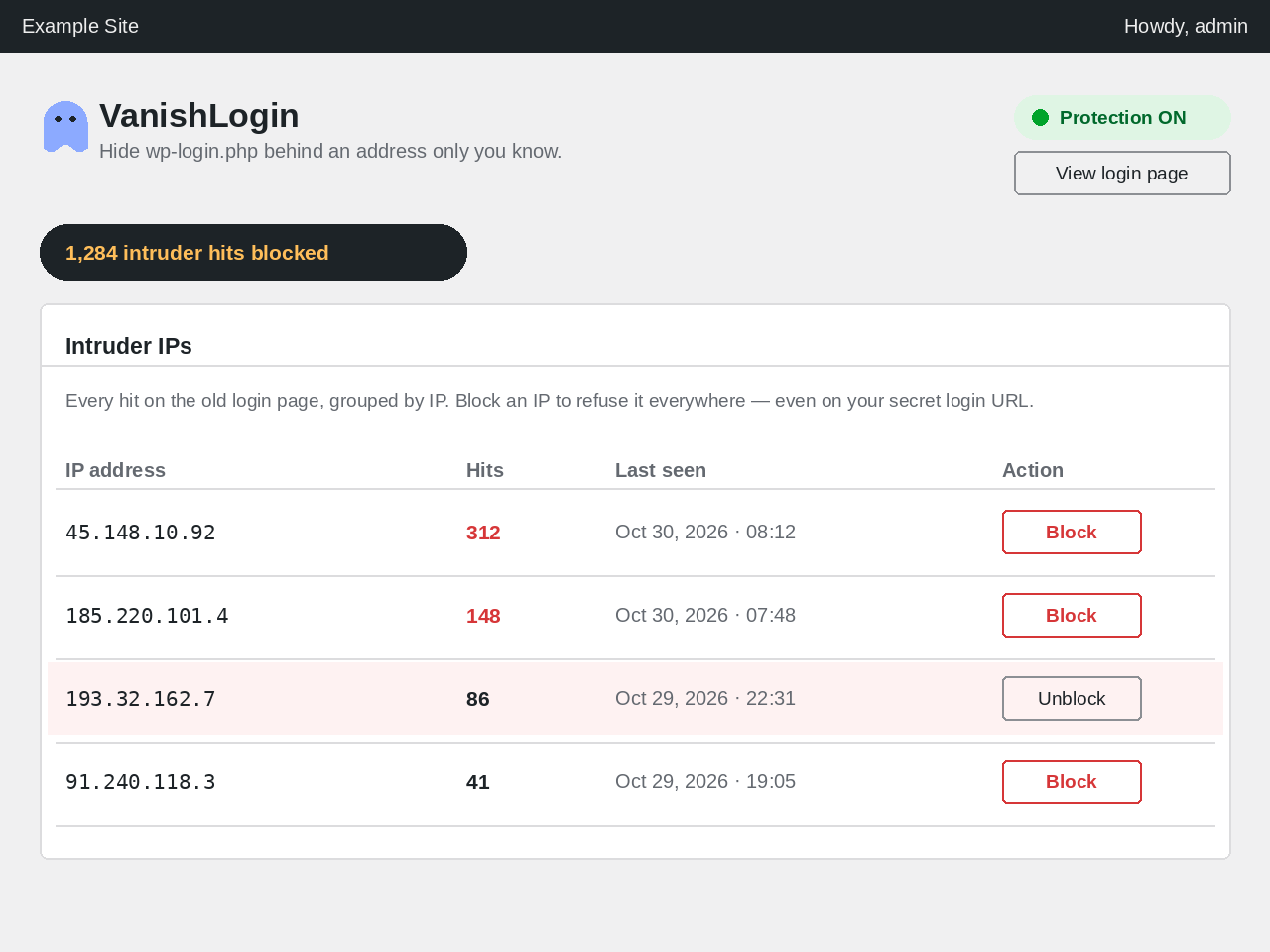
- Intruder IP log — every hit on the old login page, grouped by IP with hit counts and last-seen times; block or unblock any IP in one click (blocked IPs are refused everywhere, including the secret login URL — and you can never block your own IP)
- Modern settings dashboard — protection status pill, blocked-intruder hit counter, and your full login URL at a glance
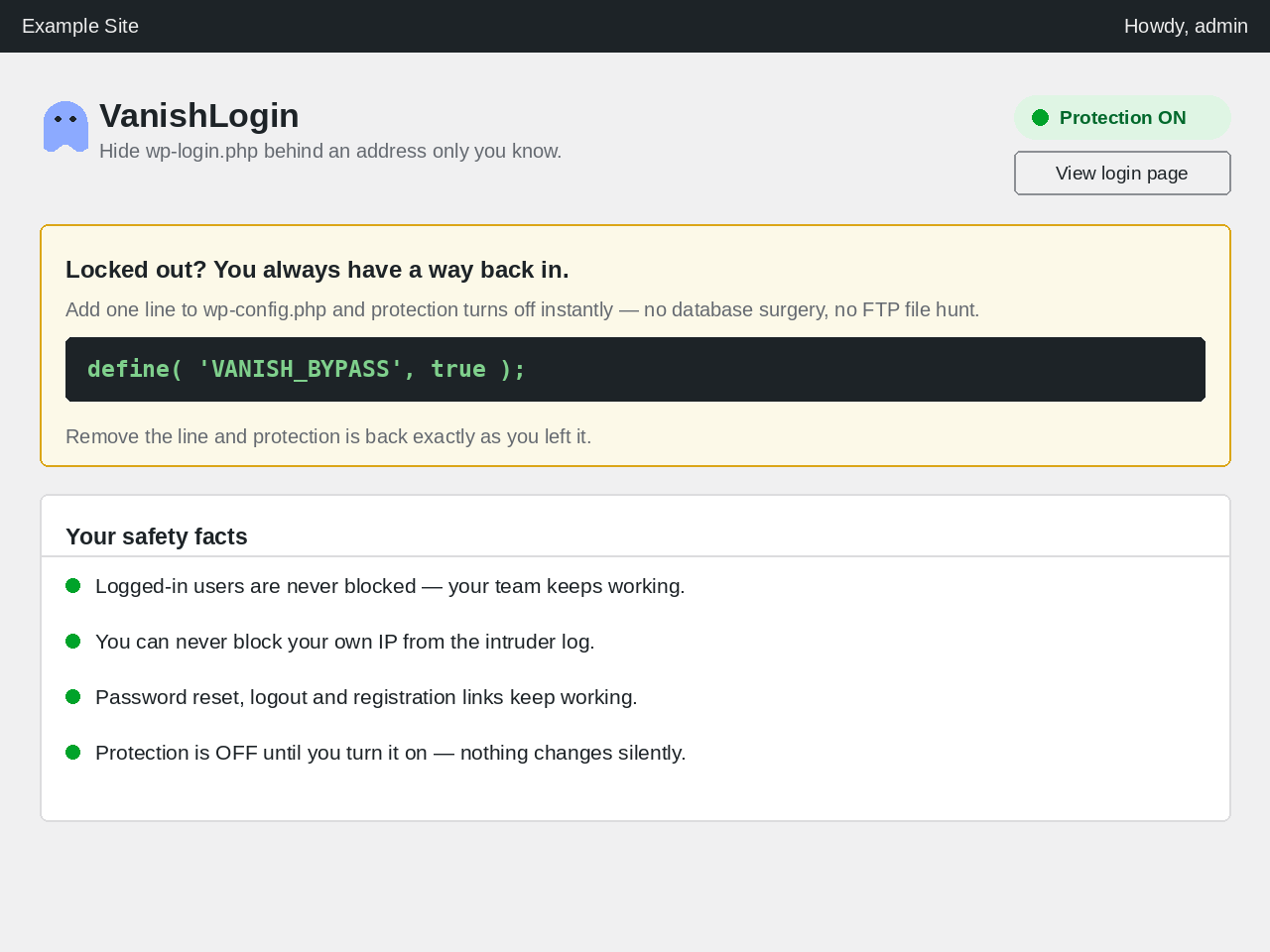
- Never get locked out — a one-line emergency bypass in wp-config.php disables protection instantly, and logged-in users are never blocked
- Plays well with others — password reset, logout, registration, and re-auth links keep working; pairs perfectly with 2FA and limit-login-attempts plugins
How it works
- Turn protection on and pick your secret slug.
- Share the new login URL with your team — bookmark it.
- Bots keep knocking on wp-login.php and get a 404. You log in at your secret address like always.
Built like a security tool should be
- Small codebase, no tracking, no telemetry, no upsells — 100% free under the GPL
- Nothing leaves your server; the intruder log is stored in your own database
- Honest about its layer: hiding the login page removes the target, and pairs with 2FA and login-attempt limiting for defense in depth
Built by WordPress security specialist Md Jahid Bin Sabit.
Credits
VanishLogin is designed, built, and maintained by Md Jahid Bin Sabit — WordPress security specialist.
- Website: https://jbsabit.com/
- WordPress.org profile: https://profiles.wordpress.org/jbsabit/
- Contributor: Reflecters — https://profiles.wordpress.org/wearereflecters/
Screenshots
Installation
- Upload the plugin files to
/wp-content/plugins/vanishlogin/, or install through the WordPress plugins screen. - Activate the plugin.
- Go to Settings Stealth Login, turn protection on, and choose your secret login slug.
- Log out and test: your new URL shows the login form, while wp-login.php returns a 404.
Locked out? Add define( 'VANISH_BYPASS', true ); to wp-config.php to temporarily disable protection.
FAQ
-
How do I hide my WordPress login page?
-
Install VanishLogin, turn protection on under Settings Stealth Login, and choose a secret slug. Your login form moves to
yoursite.com/your-slug, and the old wp-login.php stops answering logged-out visitors. -
How do I change or rename the wp-login.php URL?
-
That is exactly what VanishLogin does — it lets you rename wp-login.php to anything you want: any custom login URL you choose, with live validation so you cannot pick a slug that clashes with an existing page. All core links (lost password, logout, register) are rewritten to the new address automatically.
-
What happens when someone visits wp-login.php?
-
You choose: a 404 “page not found”, a quiet redirect to your homepage, or a redirect to any custom URL. Every hit is recorded in the intruder IP log either way.
-
Can I block an IP that keeps probing my login page?
-
Yes. The intruder IP log groups every hit on the old login page by IP, with hit counts and last-seen times. One click blocks an IP everywhere — even on your secret login URL — and one click unblocks it. You can never block your own IP.
-
Will I get locked out of my own site?
-
No. The plugin never blocks logged-in users, and an emergency bypass constant (
VANISH_BYPASS) in wp-config.php disables protection instantly if you ever forget your slug. -
Does it work with 2FA or limit-login-attempts plugins?
-
Yes. VanishLogin only changes where the login form lives and blocks the old address — authentication itself is untouched, so 2FA and login-attempt limiters keep working. The combination is stronger than either alone: bots cannot find the form, and attempts on the real form are limited.
-
What happens to password reset and logout links?
-
They keep working. The plugin rewrites wp-login.php links (lost-password, logout, register) to your secret URL automatically.
-
Does hiding wp-login.php replace other security?
-
No — it is one strong layer. It removes the most-attacked target on your site; pair it with 2FA, login-attempt limiting, and regular updates for defense in depth.
-
Will VanishLogin slow down my website?
-
No. It adds no scripts or styles to your public pages and makes no external requests. Its checks run only on login-related requests.
-
Can search engines still find my login page?
-
Your secret URL is never linked anywhere public, and blocked addresses return 404 — nothing for crawlers to index.
-
Is VanishLogin really free?
-
Yes — 100% free, GPL-licensed, no premium version, no upsells, no locked features.
Reviews
There are no reviews for this plugin.
Contributors & Developers
“VanishLogin” is open source software. The following people have contributed to this plugin.
Contributors

Translate “VanishLogin” into your language.
Interested in development?
Browse the code, check out the SVN repository, or subscribe to the development log by RSS.
Changelog
1.0.2
- NEW: Intruder IP log — hits on the old login page are grouped by IP with hit counts, and any IP can be blocked/unblocked with one click (blocked IPs are refused everywhere, including the secret login URL; you can never block your own IP).
- Renamed to VanishLogin (new slug
vanishlogin) with a distinctivevanish_code prefix throughout; settings migrate automatically from the previous release.
1.0.1
- Fixed Plugin URI header (now points to the wordpress.org plugin page) — required by the WordPress.org submission validator.
1.0.0
- Initial release: custom secret login URL, wp-login.php and wp-admin guards, intruder 404/homepage/custom-URL handling, blocked-hit counter, modern settings UI with live preview, emergency bypass.