

Description
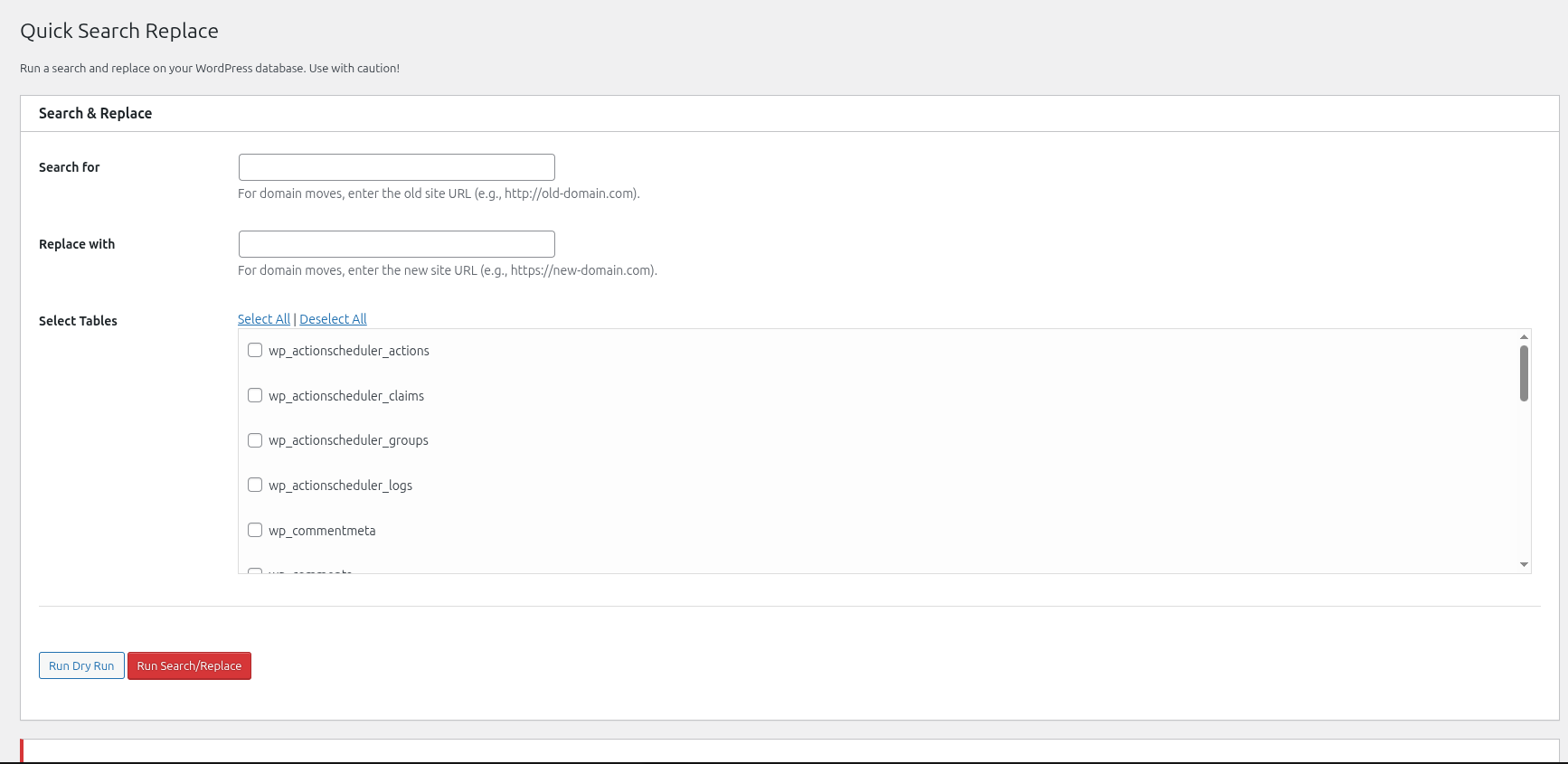
Quick Search Replace provides a user-friendly interface to run comprehensive search and replace operations on your WordPress database. This tool is designed to search through every column of your selected tables, making it a powerful utility for site migrations (e.g., changing domains or switching to HTTPS).
It correctly handles serialized data and automatically flushes permalinks after a migration to prevent 404 errors.
Key Features:
- Comprehensive Search: Performs replacements in all columns of the selected tables.
- Serialization Support: Correctly handles serialized PHP arrays and objects.
- Select Specific Tables: You have full control to choose exactly which tables to include in the operation.
- Dry Run: Perform a “dry run” to see a report of how many database fields would be changed, without making any actual modifications.
- Permalink Flushing: Automatically flushes WordPress rewrite rules after a live run to ensure your site’s links don’t break.
- WordPress Multisite Support: Fully multisite-aware, listing all tables across the network.
EXTREME WARNING: This tool is powerful and modifies your database directly. Because it searches every column, it can change sensitive data like user logins, hashed passwords, and post GUIDs if they match your search string. ALWAYS create a full backup of your database before using this tool.
Screenshots
Installation
- Upload the
quick-search-replacefolder to the/wp-content/plugins/directory. - Activate the plugin through the ‘Plugins’ menu in WordPress.
- Navigate to Tools -> Quick Search Replace in your WordPress dashboard (or Network Admin dashboard for multisite).
FAQ
-
Is this tool safe to use?
-
This tool is safe when used with extreme caution. The most critical step is to always back up your database before running a live search/replace. Understand that it will replace your search string wherever it is found, including in user data, GUIDs, and other sensitive fields. We highly recommend performing a “Dry Run” first to review the potential changes.
-
Does this plugin handle serialized data?
-
Yes, absolutely. This is one of its core features.
Reviews

Contributors & Developers
“Quick Search Replace” is open source software. The following people have contributed to this plugin.
Contributors

Translate “Quick Search Replace” into your language.
Interested in development?
Browse the code, check out the SVN repository, or subscribe to the development log by RSS.
Changelog
1.0.0
- Initial release.